
A GEO Readiness Checklist for Higher Ed Leaders
Many of our higher education clients are seeing prospective students, families, alumni, and donors increasingly turn to ChatGPT and other LLMs for college-related questions. Now, institutions need to make their websites visible, understandable, and trustworthy for both humans and machines.
Generative Engine Optimization (GEO) is the emerging web-based practice that helps you achieve that. Many of these principles will already feel familiar, especially if you and your web teams are implementing content strategy across your web environments. The guidelines for GEO closely align with SEO, with a few technical exceptions (more on schema tagging later). It’s all about clarity, structure, authority, and governance.
This checklist will guide you through the essential steps for preparing your digital presence for an AI-first search landscape.
□ 1. Understanding GEO and Why It Matters
GEO (Generative Engine Optimization) is the practice of preparing your website so AI-powered search tools can understand and accurately reference your institution when answering user questions.
While SEO focuses on ranking pages, GEO focuses on being mentioned, summarized, and cited within AI-generated answers.
This matters for higher education because prospective students are increasingly asking longer, decision-oriented questions like:
- “How reputable is XX University’s Communications degree?”
- “How likely am I to get accepted to XX University’s Law program?”
When these questions trigger an AI Overview, the system doesn’t list links, it generates an entire answer, often with multiple sources. GEO helps determine whether your institution appears in that answer and how it’s described.
GEO blends content strategy, structured data, SEO, and accessibility into a unified practice focused on:
- clarity and structure,
- authority signals,
- accurate, well-maintained data,
- and clear relationships between programs, people, and outcomes.
Put really simply, SEO helps people find you, and GEO helps AI explain your institution.
□ 2. Learn How AI Search Tools Interpret Your Content
AI tools don’t crawl content like traditional search engines. They:
Process content in tokens
They may only read the top portion of a page, which means key information should be placed there.
Look for authority signals
AI gives more weight to institutions with clear credentials, strong About pages, and consistent external profiles.
Use structured data to understand relationships
Schema tags explain what content is what, helping engines connect programs, people, departments, and locations. More on that below…
Prefer clear semantics
Clean H1–H2–H3 hierarchy and labeled sections improve comprehension.
Rely on external indexes like Bing
ChatGPT’s real-time data is often pulled through Bing’s crawl, because of a business relationship between OpenAI and Bing.
□ 3. Evaluate Your Institution’s Authority Markers
Strong authority indicators help AI understand that your institution is credible and trustworthy. Assess whether:
- Your About page clearly communicates institutional identity
- Faculty bios include credentials, titles, and areas of expertise
- Academic programs include outcomes, requirements, and differentiators
- External profiles (LinkedIn, directories) are consistent and up-to-date
- You avoid editing Wikipedia with institutional accounts (edits may be rejected)
Authority makes it easier for AI systems to select your content over competitors.
□ 4. Audit Your Use of Schema and Structured Data
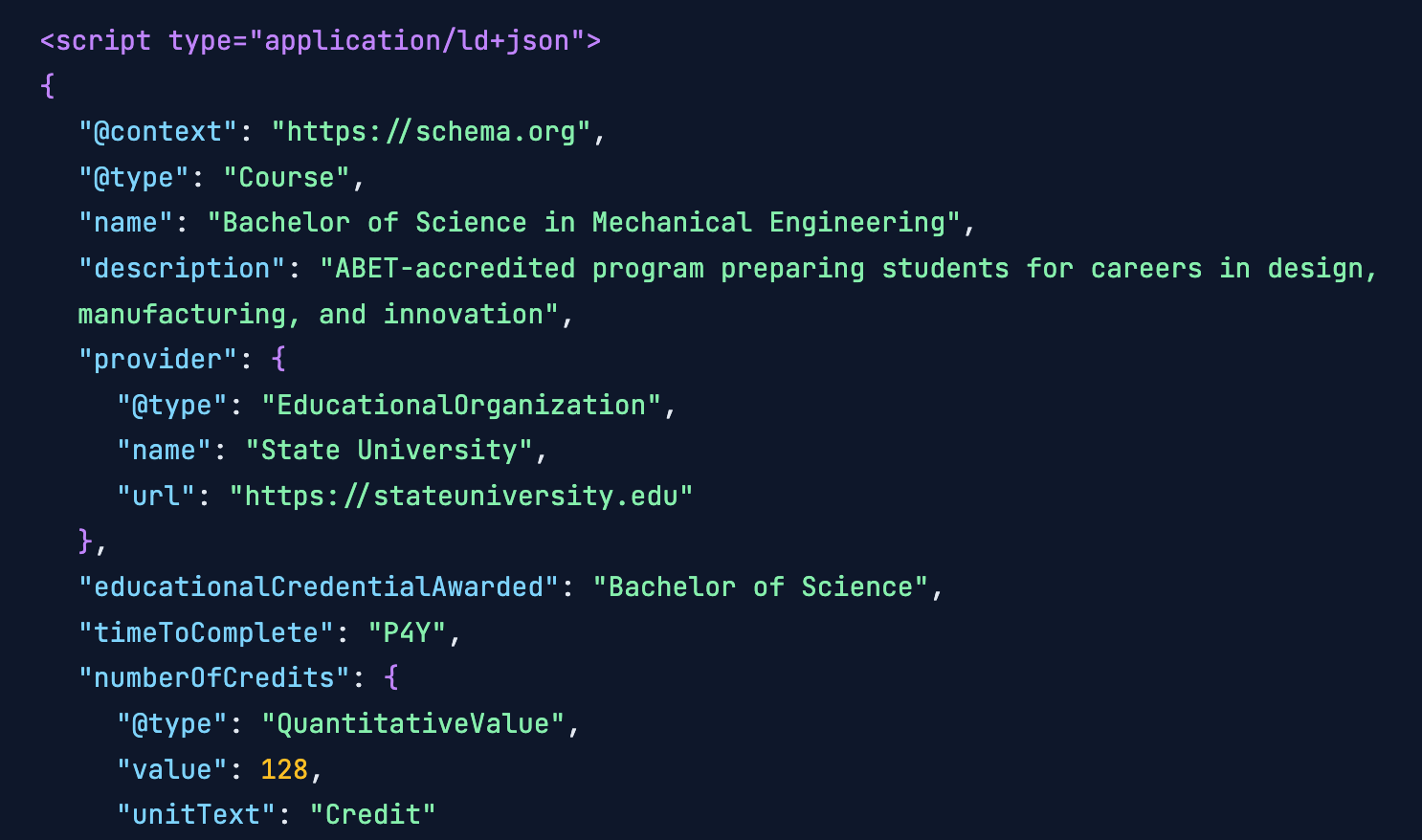
Schema is a standardized, machine-readable layer of structured data—typically added in JSON-LD format—that tells search engines and AI systems exactly what a page represents and how its information relates to other content on your site. It helps machines interpret details like programs, people, events, and locations with greater accuracy. Schema is powerful — but only when used thoughtfully.
Evaluate whether:
- You use JSON-LD, our recommended format
- Only content that appears on the page is represented in schema
- Deadlines, events, and time-sensitive data are kept up-to-date
- You avoid “schema stuffing” (overuse or irrelevant schema)
- You model relationships between people, programs, courses, and research areas
Schema should describe what’s there, not invent information.
□ 5. Review Your Site’s Semantic Structure and Content Clarity
AI systems favor content that’s easy to parse.
Check whether your pages:
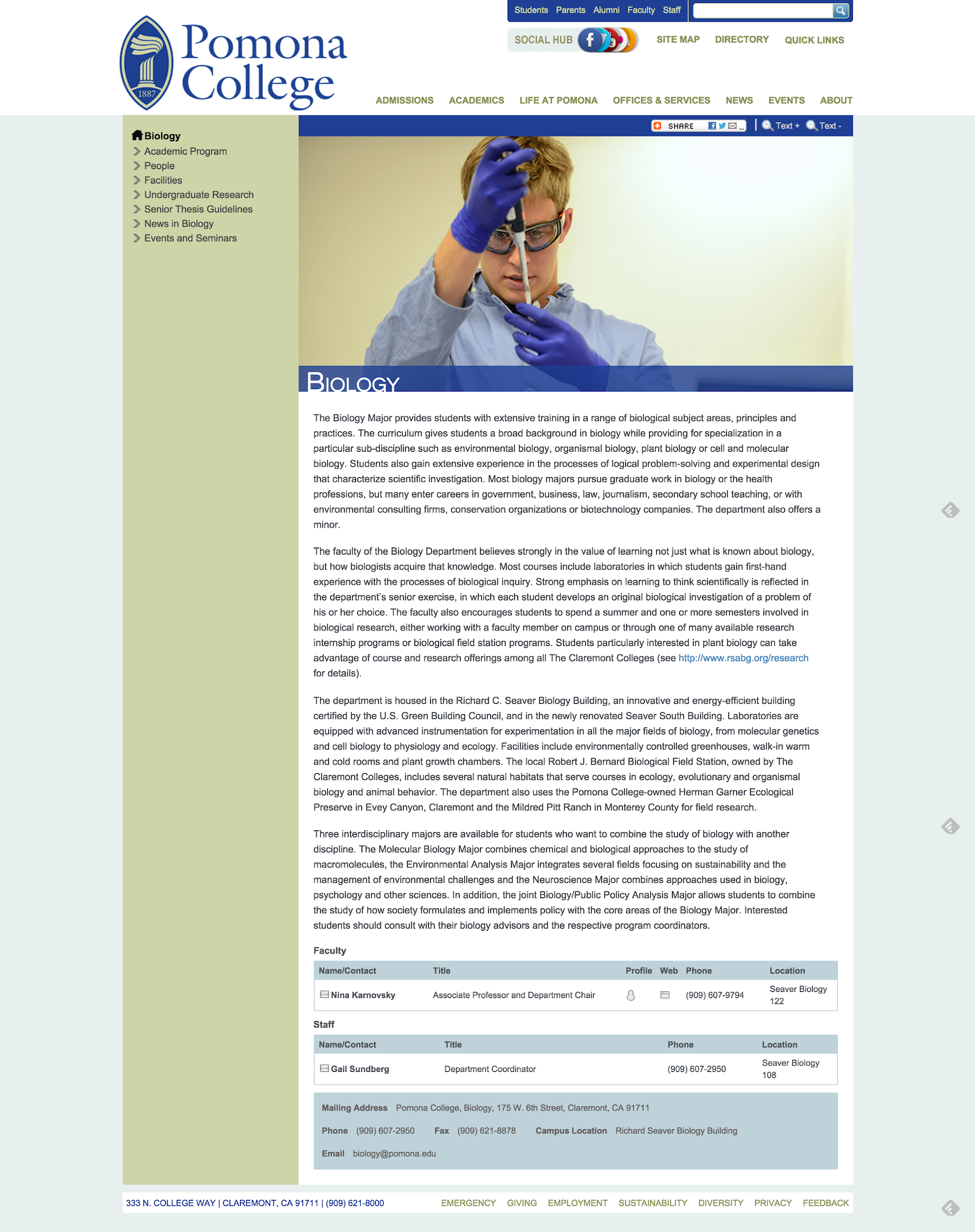
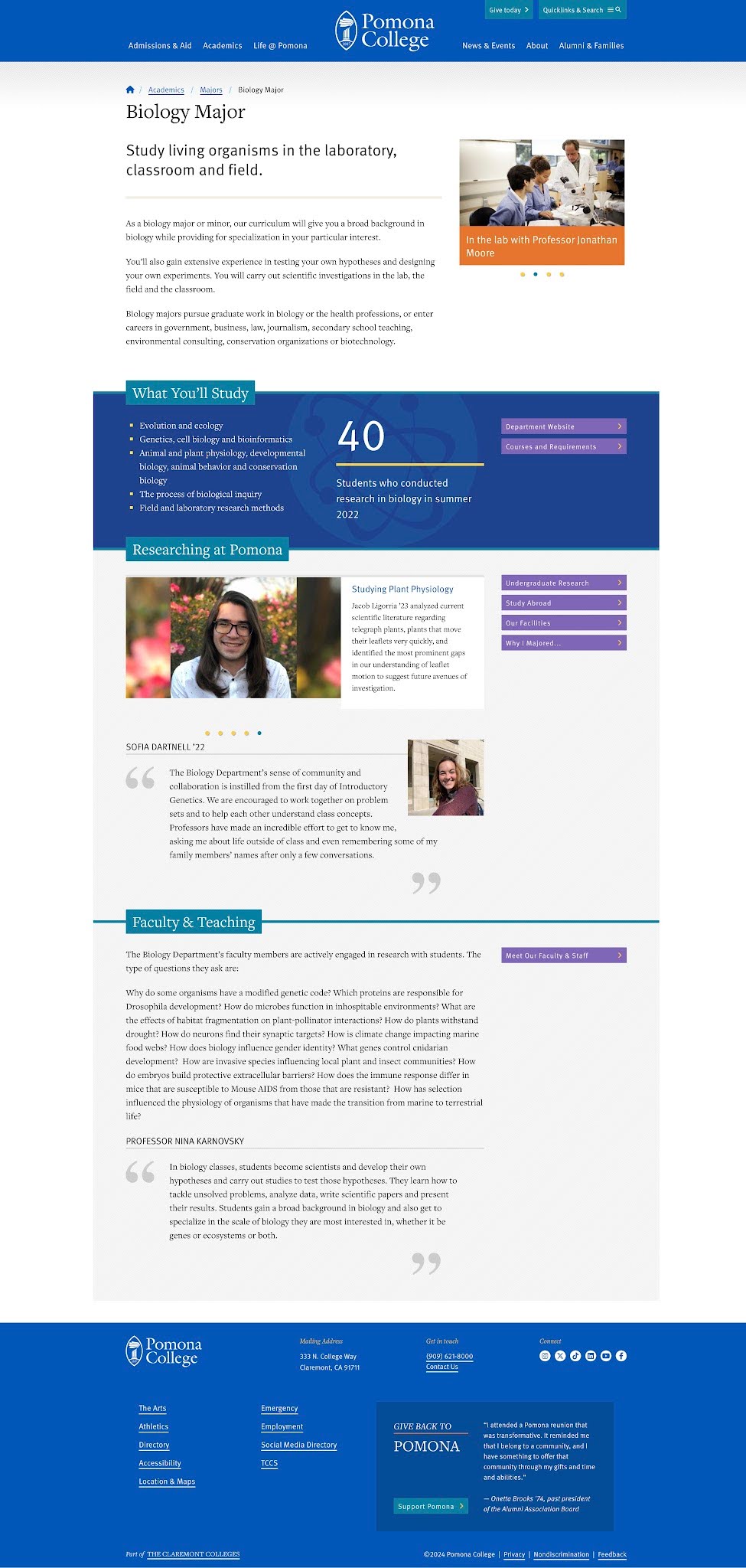
- Use correct heading hierarchy (H1 → H2 → H3)
- Start with the most important information
- Break up long paragraphs into scannable sections
- Use semantic HTML rather than layout tables
- Remove unnecessary widgets, carousels, and embedded scripts
- Use structured CMS fields instead of free text where possible
Good structure helps both humans and machines understand your content.
□ 6. Check Your Technical Foundations for AI Visibility
Technical health directly affects AI interpretation.
Confirm that:
- Your sitemap is submitted to Bing, not only Google
- You have added an LLMs.txt file to guide AI crawlers
- Your site has minimal broken links
- Your HTML is clean and accessible
- Page load times are optimized
- Canonical URLs and metadata are accurate
- You are monitoring server logs for LLM bot activity
These steps make your site more discoverable and easier for AI to process.
□ 7. Establish Governance to Sustain GEO Over Time
Like site maintenance, GEO is an ongoing practice. Setting up an optimization plan is a great opportunity to connect with your internal teams to ensure your institution has:
- A clear owner for schema accuracy
- A workflow for updating deadlines and academic calendars
- Standards for program pages and faculty bios
- Guidelines for structured data entry
- A cross-team process involving marketing, web, and enrollment
- Training for editors on semantic content patterns
In our collective excitement to experiment with schema tagging, we’ve already seen examples of Google penalizing sites for schema stuffing, incorrect time-sensitive information, or redundant tags across multiple pages when content doesn’t warrant it. So with schema, proceed with care.
□ 8. Avoid Common GEO Pitfalls
Steer clear of practices that diminish visibility or generate penalties:
- Adding schema for content that doesn’t appear on the page
- Overusing FAQs to force AI visibility
- Letting schema expire or fall out of sync
- Using tables for layout
- Expecting guaranteed outcomes
- Treating GEO as a “set it and forget it” effort
The best way to avoid these pitfalls is to treat GEO as part of your regular web and marketing planning cycle, with clear ownership, reviews, and shared performance measures.
□ 9. Define How You’ll Measure GEO Progress
Measurement is still evolving, but several indicators already provide insight.
Use tools such as:
- SEMrush AI Visibility
- Google Search Console (AI Overviews impressions)
- Manual testing in ChatGPT, Google SGE, and Bing Chat
- Server logs identifying LLM crawlers
- “Invisible attribution” (unique institutional language appearing in AI responses)
Track:
- Whether your institution appears in AI-generated answers
- Whether citations link back to your website
- Accuracy of program descriptions
- AI-driven referral traffic trends
Measurement helps you understand progress and adapt strategy.
How NewCity Helps Higher Ed Teams Prepare for AI Search
NewCity partners with higher ed web and marketing teams to improve the clarity, structure, and authority of their digital ecosystems. We help institutions:
- Evaluate current GEO readiness
- Strengthen structured content and schema
- Improve authority signals and content clarity
- Clean up technical debt
- Establish sustainable governance
- Measure AI visibility with emerging tools
GEO works best when it’s integrated into the way you already plan, build, and maintain your website. If you’re thinking about how AI search fits into your broader digital strategy, we’d love to start a conversation.